



Business systems and services
Use team guidelines and authorized data sources.
Legal teams and law firms
Compare contract clauses, organize company documents and proposed edits, and save recurring review steps as workflows.

Check clauses against the team’s review requirements and identify the relevant source passages for verification.
Use authorized source materials and connected business tools.
Save review requirements and steps, with records of the results.
Task examples
01
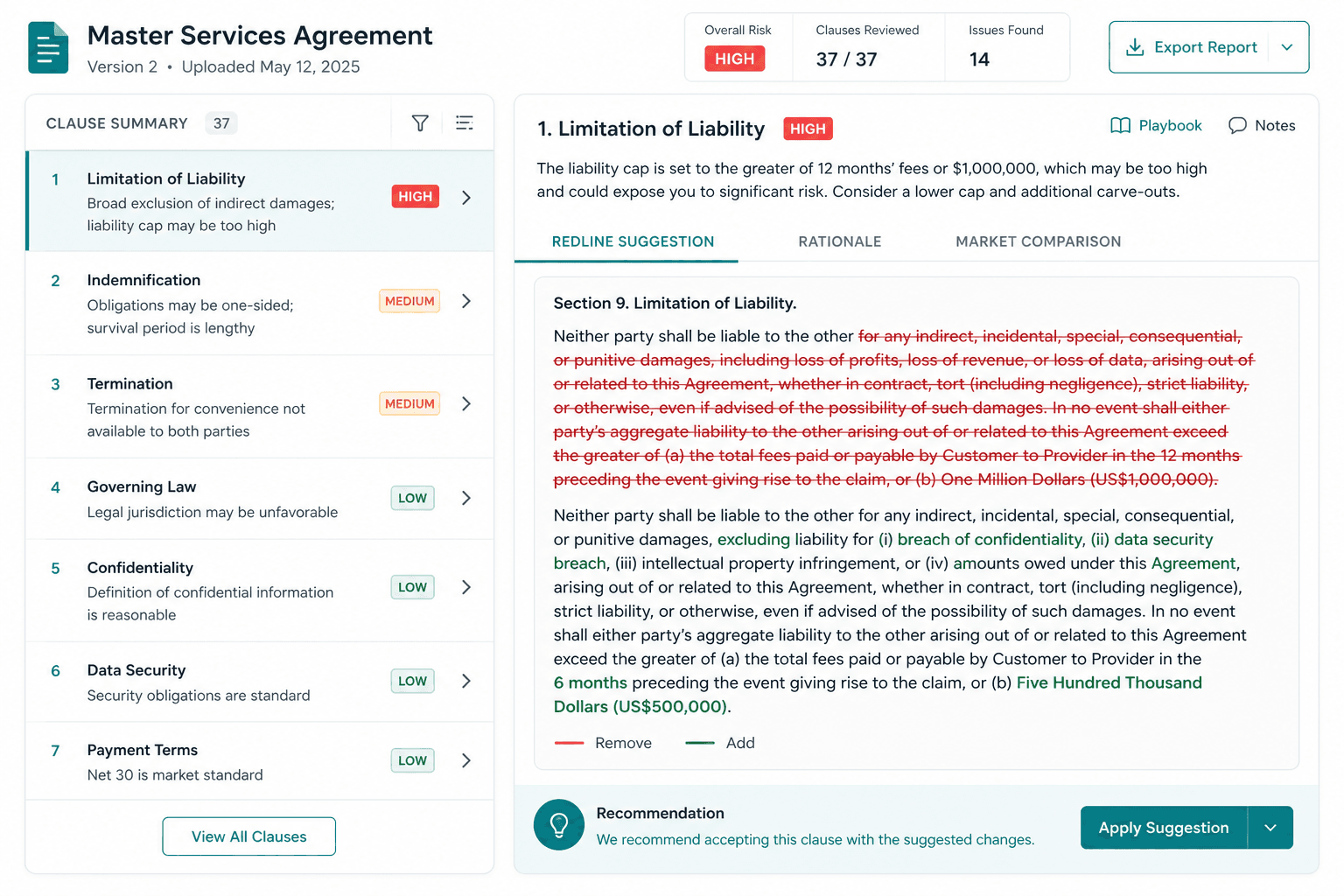
Check terms against team guidelines and prepare deviations, impact notes, and proposed edits for legal review.
Workflow example
Vendor agreement review
Illustrative workflow and data. Tools and approval steps depend on the project configuration.
Task process
Review the sample agreement against team guidelines and draft proposed edits.
Two high-priority clauses and proposed edits are ready for professional review.
Output preview
| Clause | Review priority | Issue |
|---|
Tools and integration options
Business systems and services

Microsoft 365
Subject to integration review

Google Drive
Subject to integration review

Outlook
Subject to integration review
Integration illustration
Tool connections

Gmail
Subject to integration review

Google Calendar
Subject to integration review

WhatsApp Business
Subject to integration review
Use team guidelines and authorized data sources.
Confirm jurisdiction, language, access permissions, and update methods.
Creating tasks or updating systems requires the corresponding tools.
Firmground AI
Choose a task your team already knows, and see how Firmground AI handles it and what it delivers.
Existing users can sign in. Book a demo to discuss enterprise integrations and deployment.