



Business systems and services
Plan integrations around existing accounting interfaces and review processes.
Accounting and finance teams
Extract document details, check account discrepancies, and draft reports with connected accounting tools to support the team’s daily work.

Extract document details, check the relevant figures, and organize them into working papers for review.
Connect the tools needed for daily work according to the company’s existing accounting systems and access permissions.
Save recurring accounting steps as workflows and set up approvals for actions that require confirmation.
Task examples
01
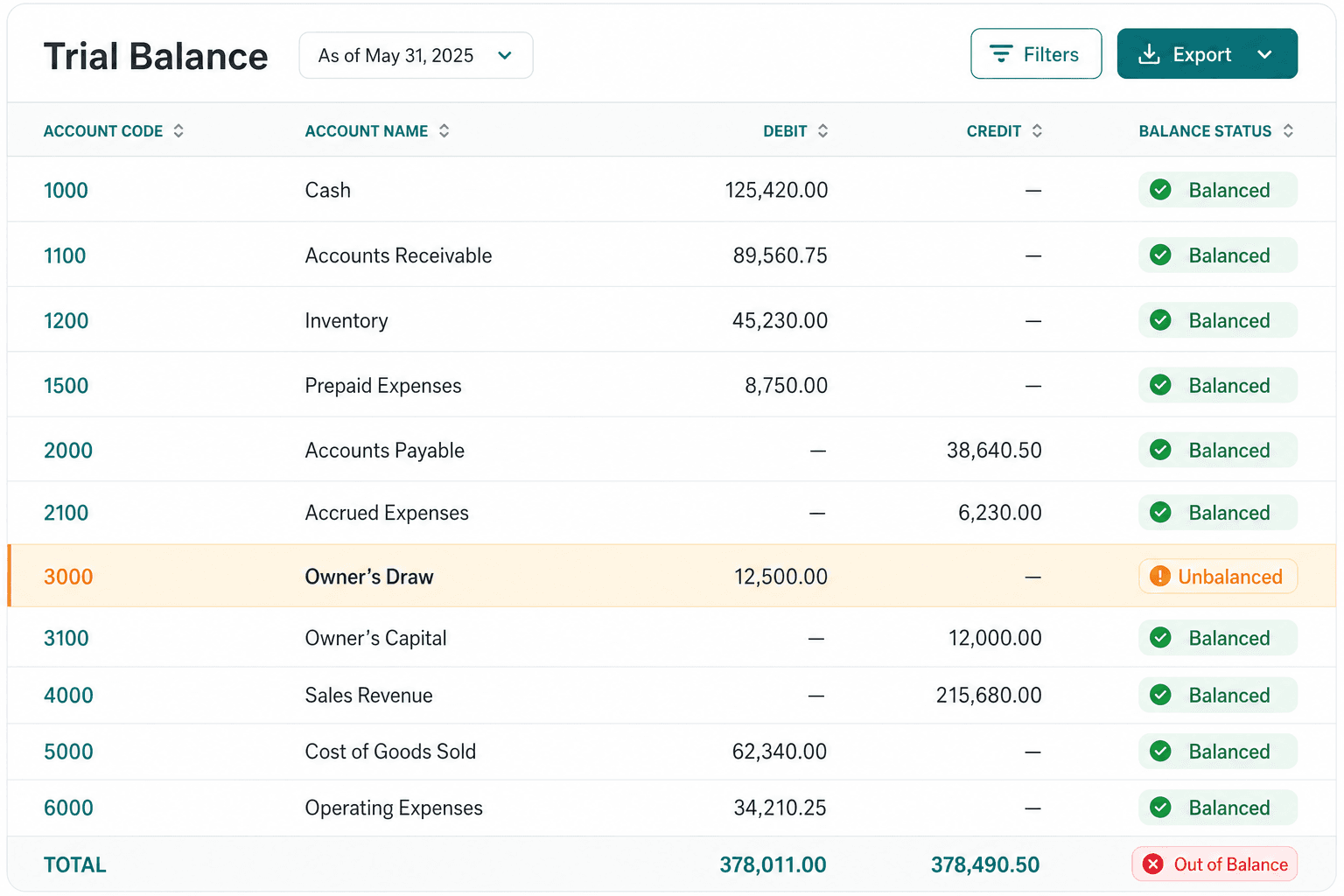
Prepare a trial balance from transaction and account data, compare debit and credit totals, and flag differences.
Workflow example
Trial balance preparation
Illustrative workflow and data. Tools and approval steps depend on the project configuration.
Task process
Organize transactions and account balances into a trial balance.
An inventory difference in the sample accounts is flagged for review.
Output preview
| Account | Debit | Credit | Status |
|---|
Tools and integration options
Business systems and services

Xero
Subject to integration review

QuickBooks
Subject to integration review

Sage
Subject to integration review

Microsoft 365
Subject to integration review
Integration illustration
Tool connections

Gmail
Subject to integration review

Outlook
Subject to integration review

Google Drive
Subject to integration review

Google Calendar
Subject to integration review

WhatsApp Business
Subject to integration review
Plan integrations around existing accounting interfaces and review processes.
Confirm supported formats, data import, and how outputs will be used.
Posting draft entries requires the corresponding accounting integration.
Firmground AI
Choose a task your team already knows, and see how Firmground AI handles it and what it delivers.
Existing users can sign in. Book a demo to discuss enterprise integrations and deployment.